
Measure the whole parcel first, then subtract the parts you do not want counted. This helps estimate planting or mowing area.
Draw the included area
Choose Area, place points around the outside boundary, and check the shape. See Measure an area.
Subtract a pond or building
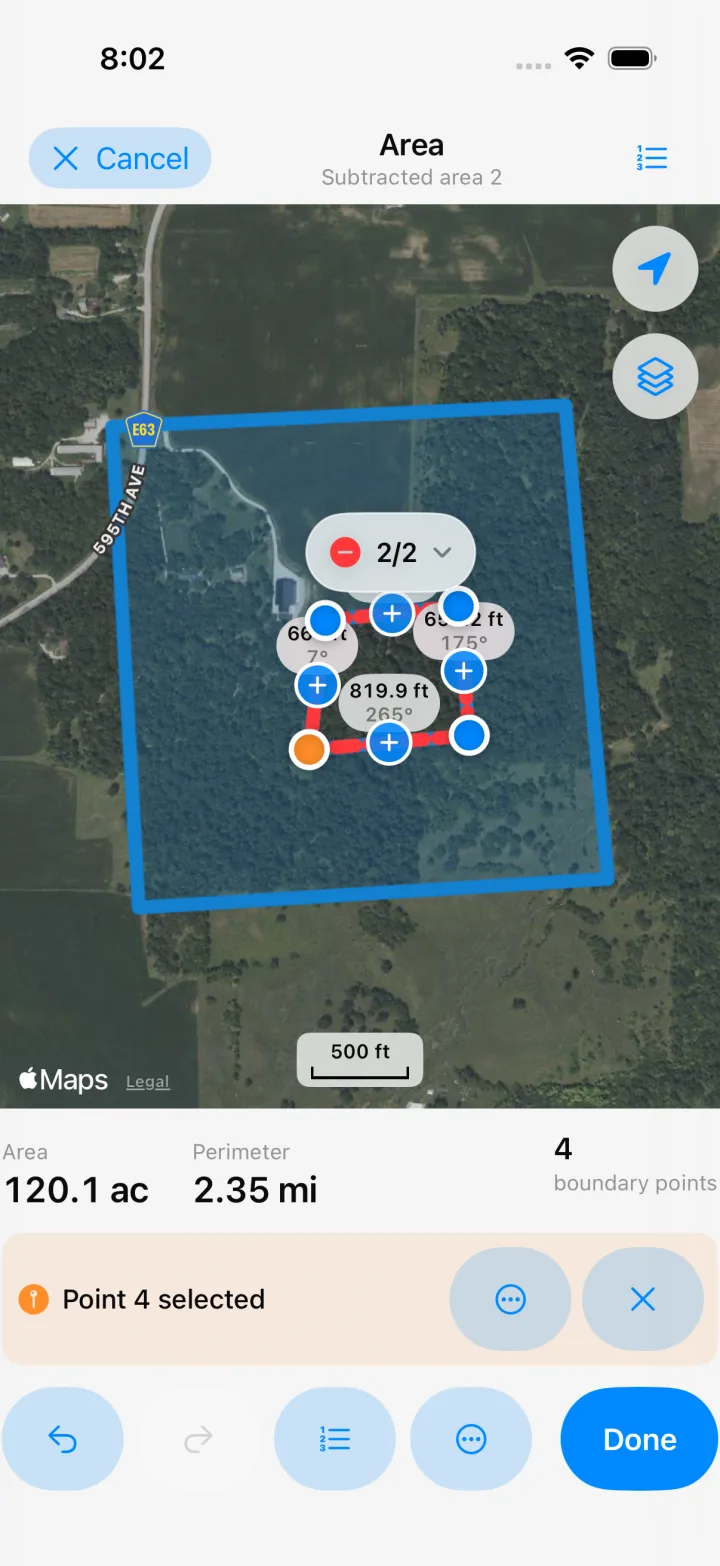
- In the editor, open the area parts menu and choose Subtract an area.
- Mark the excluded boundary. Keep it entirely inside one included area.
- Keep excluded areas separate: they must not touch or overlap each other or the outside boundary.
- Finish and check the net area and Area breakdown before saving.
Check the numbers
Example: 10,000 m² of land − a 600 m² pond − a 400 m² building = 9,000 m² usable area, or 0.9 hectares. This is an arithmetic example, not a measured site.
An exclusion that reaches the parcel edge is not an internal hole. Draw the usable outside boundary instead. For separate fields, use Add another area.
Keep a record
Name the measurement and note what you excluded. Export a PDF to share the map and area breakdown. When estimating fencing, use a separate outer boundary.